DR
1:12
AI summary & reply
Hot water system leaking at 14 Bourke St, Redfern. Wants someone today if possible.
Draft reply
Two visits a job, and the glass on order in between.
14 days free · no card required
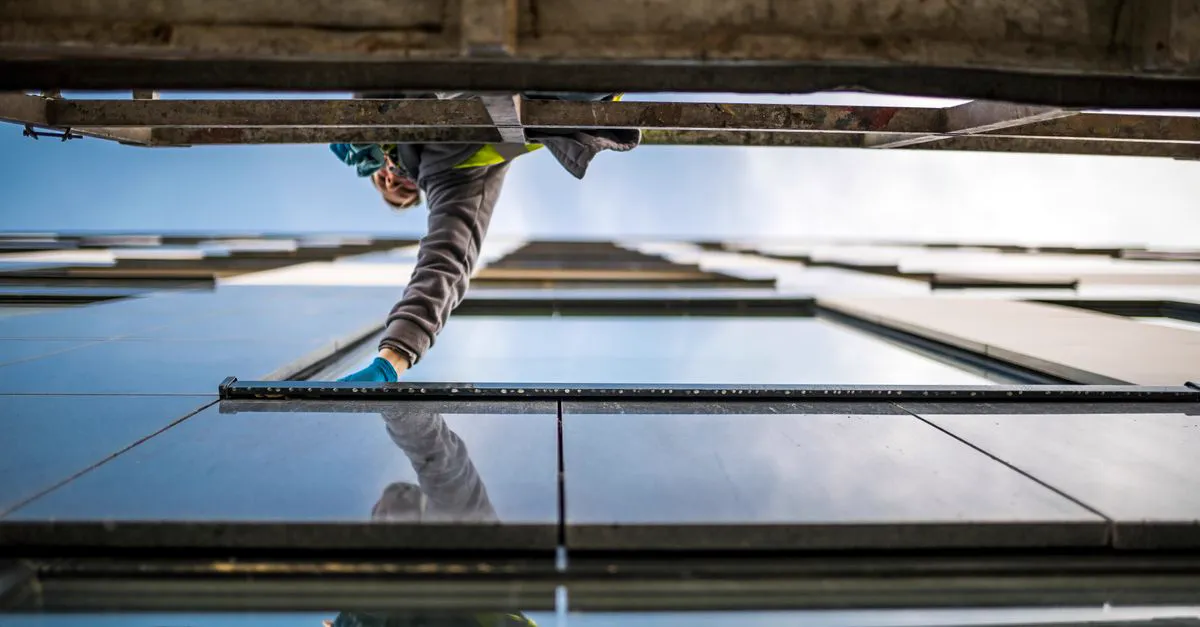
You measure and quote, they say yes, the glass gets ordered and made, and you go back to fit it. In between, the sizes, the deposit, the supplier's date and what the customer was told live in a notebook, a text thread and your head. Lose one of them and it's a remake or a third trip.
Once a panel is toughened, it is the size it is. A measurement written wrong on the back of a quote pad, or one that never made it from the notebook to the supplier, is a panel you pay for twice and a customer you visit three times.
Between the order and the install there's a stretch where nothing happens on site, and that's exactly when the customer rings to ask where it's up to. The answer is in a supplier email somewhere, and you're on someone else's job.
A smashed shopfront at 11pm, a kicked-in back door, a shower screen that's let go. Those callers want someone tonight. If it rings out they try the next glazier on the list, and the board-up and the replacement glass both go with them.
Set your hours and the receptionist takes the calls you're not taking, gets the address and what's broken, and marks the urgent ones so you know which call to get up for. The rundown lands as a text when the call ends.
Your saved prices fill the lines, with labour and glass priced separately or as one figure, and the photos of the opening go on the quote. The customer opens it on their phone, accepts and signs on screen.
Raise a deposit invoice off the job when they accept, so the glass is paid for before it's cut, and the balance once it's fitted. A job takes as many invoices as it needs, and the overdue ones get chased by text and email on your schedule.
The glass and hardware you priced carry from the accepted quote onto the job's expenses. Each line holds the supplier, the date and the supplier's invoice, so the order and the job never drift apart.
Put two installers on a big panel and the diary flags it if either is already booked elsewhere. The customer gets a text before you arrive, and your crew's hours come in from their phones for you to approve.
What each job billed, what went on glass and materials, and what the labour cost. A month of call-outs and a month of shower screens look different on paper, and you can see by how much.
Over 100 AI agents, not one chatbot. The quote drafter never sees a price; the prices come off your own rates.
The ones that write get your services, hours, rates and wording first. Pricing leans on the quotes you won.
Quotes, invoices and replies wait for your send. Reminders and the text a caller gets after a call go out on their own. You can turn each off.
Every AI call is metered, written to a cost record and held under a daily ceiling.
Turn on after-hours cover, list the suburbs you'll go out to and your call-out fee, and an emergency caller who asks is told the fee. Switch photos on and they can send a picture of the break.
Get the quote out the same day, before the customer rings someone else.
Invoice the day you finish, and let Galaxera do the chasing.
Sizes, glass type and photos of the opening on the job, so whoever fits it works from the same numbers you ordered from.
Glass job tracking software earns its keep in the gap between the measure and the install. When the customer accepts, the quote becomes the job with their details, the site address and the priced glass already on it. Put the sizes, the glass type and the hardware in the job notes from your phone, and the photos of the opening against the job rather than in your camera roll.
Your own checklist template lands on every new job, so confirming sizes, ordering, booking the install and the final clean get ticked off instead of remembered. Set a reminder on the job for the day the supplier says the glass will be ready and Galaxera texts you when it's due. When the customer rings asking where it's up to, the answer is on one screen, and you can send them an update by text or email from the job.
Most glazing quotes start with a tape on site: the opening, the reveal, a frameless shower screen or a laminated pane in an old sash. Build the quote from your phone with your saved prices filling the lines, or talk it through and Galaxera drafts it for you to check before anything goes.
For a commercial shopfront or a new build, software for estimating glass jobs should start from the drawings. Load the PDF or DWG, set the scale once, tap each window to count it and trace each glazed area to get square metres. The quantities carry onto quote lines priced from your rates. It measures the drawing, not the frame, so check the openings on site before anything is ordered.
When Galaxera drafts a quote from a call or an email, each line is priced from quotes it drafted that you sent, leaning on recent work and on the prices that won.
The glass, hardware and silicone you priced on the quote become the job's expense list when the customer accepts. Each line records who it was bought from, the date, the category, and the supplier's invoice or receipt attached to the line it covers. When it's time to order, send the list from the job by email from your own connected address with a PDF attached, or by text with a link. Pick only the lines that supplier needs if the hardware comes from somewhere else.
Because the costs sit on the job, they show up in your reporting against the job they went on, so a shower screen that needed a remake shows what it really cost. Your invoices go to Xero; the expense lines stay in Galaxera.
Emergency glazing comes in at night: a break-in through a shopfront, a storm through a sliding door. Set the receptionist to answer only outside your hours if you'd rather take daytime calls yourself, or whenever your mobile rings out.
Turn on after-hours cover and list the suburbs you'll go out to. Add your call-out fee and the receptionist gives it when asked, without quoting anything else. A genuine emergency is recorded as one so you're alerted straight away, and with photos switched on the caller gets a text with a spot for a picture of the damage, so you know whether it's a board-up or a pane before you load the van. On site, a check-in link records when you arrived and, if the phone allows, where, and the before and after photos are taken there, which gives you a dated record to show a property manager or an insurer.
Glass is bought before it's fitted, so most glaziers split the money: a deposit off the job when the quote is accepted, the balance once it's in. The deposit is recorded against the invoice, the balance shows what's left, and the quote shows the deposit received against the price. The invoice carries the lines from the quote, your bank details and your terms, and goes by email or text.
Overdue invoices are chased by email and text, by default 7, 14 and 30 days after the due date, between 8am and 7pm, in the wording you pick: Friendly, Direct or Formal. Connect your own Stripe account and customers can pay by card from the invoice link; it marks itself paid and the chasing stops.
All 14 products are on all three trade plans. You choose seats and phone time. Projects adds progress claims.
Run the admin by talking: hands dirty, phone in the cradle, driving between jobs.
The strata manager's email, the tenant's text and the missed call about the same broken window, in one list.
Tap once for a draft. Read it, change what you want, send.
Count the windows on a set of plans and trace each glazed area for its square metres, then carry the quantities onto the quote.
Crew bookings, timesheets, payslips and leave, without a shoebox of paperwork.
What you billed, what you got paid, what it cost and what's left, from your own records.
Invoices go to Xero, and payments stay in step both ways.
The chasing that makes you money, done on a schedule instead of when you remember.
Pick from 30 trade templates, put in your own words and photos, and publish from $99 + GST one-off.
Post the job you just finished, and email the customers who have gone quiet.
Yes. Pick Glazing / windows when you set up and your service list starts with glazing work for you to price. Nothing comes pre-priced: every figure on a quote is one you put there.
It doesn't connect to a supplier's ordering system. It records what you're ordering against the job, and you can send that list to the supplier from the job by email or text. When their invoice comes in, attach it to the line it covers.
It reminds you to. A quote that's gone quiet comes up on your Home as Follow-up due, and the quote list marks the ones they've opened without replying. The phone call is still yours. Overdue invoices are the ones Galaxera chases the customer for, by text and email.
Yes. Both can sit on the same job as two invoices: the board-up the morning after, the glass once it's fitted. Each one carries your bank details and gets chased if it runs past due.
No. Every plan has the same features, and Scale adds progress claims on top. The receptionist comes with every paid plan, not the free trial, and your installers' timesheet portal is free on all of them. The plans differ on owner logins and the phone, voice and text time that comes with the month.
14 days free · no card required